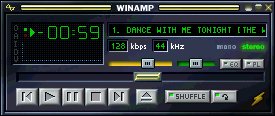
| What is WinAmp DLL Plug-in?
The DLL plug-in is an additional program, which can be added
to the ordinary WinAmp program. It ends with .DLL extension, that's why it is also known
as DLL plug-in. There are two major types of WinAmp plug-in, one is visualization plug-in
(file name start with "vis"), another is misc plug-in (file name start with
"gen").
Installation guide
Simply unzip the plug-in files into your
"...\Winamp\Plugins\" directory. After that lauch the WinAmp program and press
Ctrl+P to go to "Preferences", then go to "Visualization" or "
Misc Plug-ins" section to select which plug-in you wish to use.
If you don't have a program to unzip the files, please visit http://www.winzip.com to download WinZip.
Below are some of my WinAmp DLL plugin collections. Please
click the thumbnails to get one for yourself.
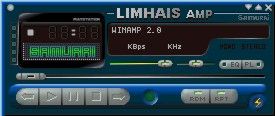
Plabo's Plugin
|
A very well done Plug-in. Great user interface
with variety of options that satisfy your needs. There are two different types of analyzer
that you can chose, Aquarmarine or original analyzer. I prefer aquarmarine, it's cool.
Another great function is that the analyzer can be customise with 3 options, smooth, LED
or wireframe. The colours of the analyzer can be customise as well. There are few colours
that available, but if you would like to use your own colour, you can chose it from colour
picker.
DOWNLOAD
NOW |
|

|
|
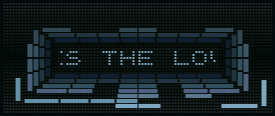
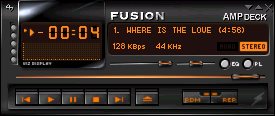
Fusion AMPDeck Analyzer
|
A nice Plug-in which is done for
Fusion AMPDeck skin. Although it is lack of options but it is quite a nice analyzer. |

|
DOWNLOAD NOW |
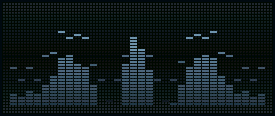
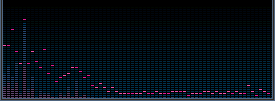
Sexy Attached Analyzers
|
A classic spectrum analyzers with
some options, where you can change the colours of the analyzer and background as well as
the frequency and speed of bar fall-off. . DOWNLOAD NOW |
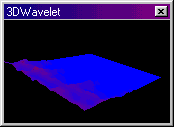
3D Wavelet
|
This is a 3D wave analyzer. There is nothing
much that you can do but move the 3D wave positions with your mouse cursor. The windows
size is adjustable. DOWNLOAD NOW |
Speakers
|